
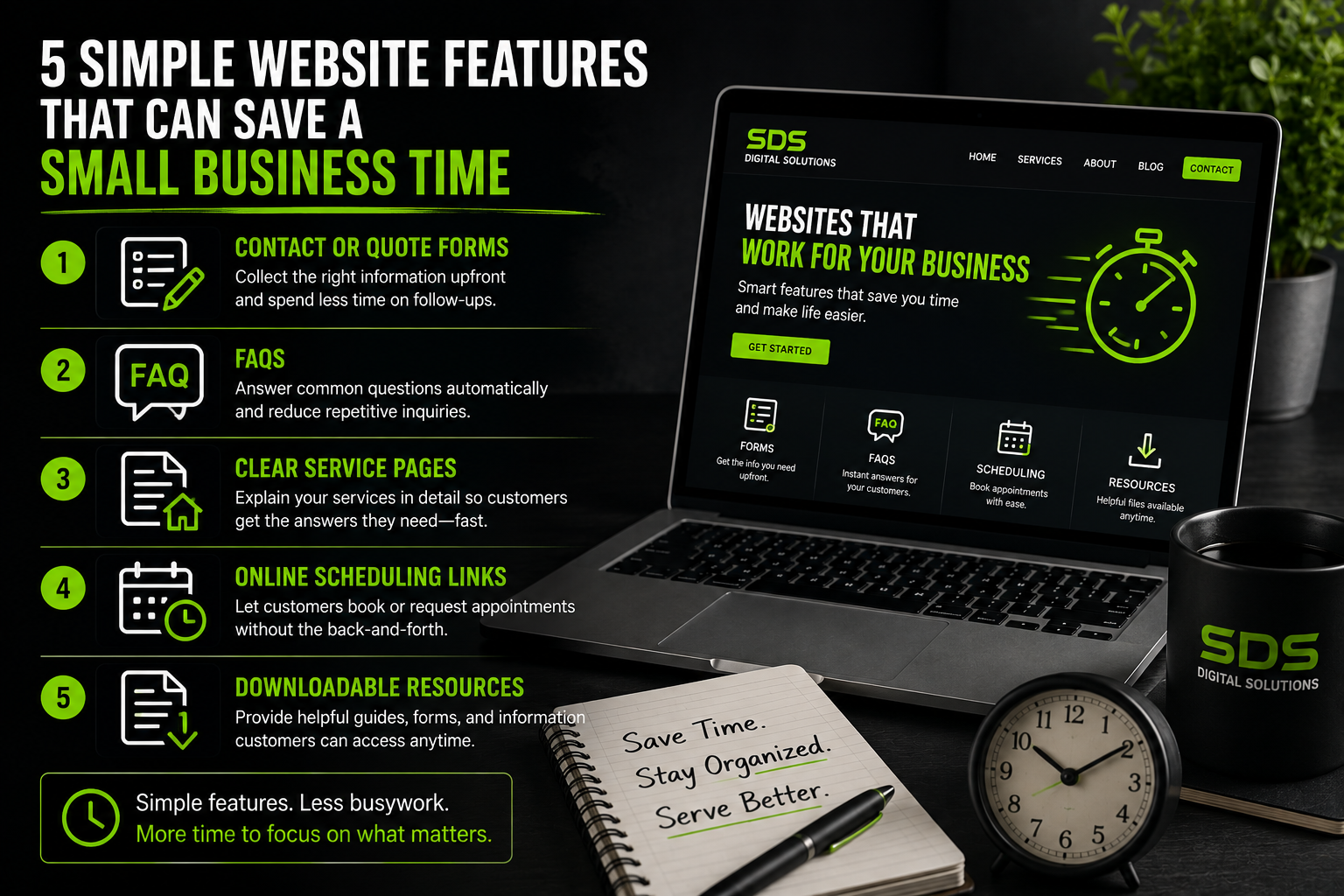
5 Simple Website Features That Can Save a Small Business Time
Small-business owners already have plenty to do.
Answering calls, responding to messages, scheduling jobs, providing estimates, managing customers, and handling the actual work can quickly fill an entire day.
Your website cannot run your business for you, but the right features can take some repetitive work off your plate.
You do not always need a complicated system, either.
Sometimes a few simple website features can make a noticeable difference.
Here are five features that can help save time while also making things easier for your customers.
- A Detailed Contact or Quote Request Form
A basic contact form usually asks for a name, email address, and message.
That works, but businesses can often save time by collecting a little more information upfront.
For example, a contractor might ask for:
- Name
- Phone number
- Email address
- Type of project
- Property location
- Preferred contact method
- Brief description of the job
Instead of receiving a message that only says, “How much would this cost?” you already have some of the information needed to begin the conversation.
The exact fields should depend on the business.
The goal is not to create a giant form that nobody wants to complete. It is to collect the most useful information before you have to ask for it later.
- A Frequently Asked Questions Section
How many times have you answered the same question?
For many businesses, customers regularly ask things like:
- What areas do you serve?
- What are your business hours?
- Do you provide estimates?
- What payment methods do you accept?
- How far in advance should I schedule?
- Do you handle a certain type of project?
A frequently asked questions section gives customers quick answers without requiring a phone call or message.
It can also help people decide whether your business is a good fit before contacting you.
Start by writing down the questions you hear most often.
Those are usually the best questions to put on your website.
- Clear Service Pages
Many small-business websites list all their services in a few short bullet points.
Creating individual pages or sections for important services can make your website much more useful.
Imagine someone contacts you and asks whether you provide a particular service.
Instead of explaining everything from scratch, you can direct them to a page that explains what the service includes.
A good service page might cover:
- What the service is
- Who it is for
- Common problems it solves
- What customers can expect
- Frequently asked questions
- How to request more information
These pages can save you from repeating the same explanations while also helping customers learn about services they may not have known you offered.
- Online Scheduling or Appointment Links
Scheduling appointments can turn into a long chain of messages.
“Does Tuesday work?”
“No, how about Thursday?”
“What time?”
“Can we move it to Friday?”
For businesses that rely heavily on appointments, connecting a website to an online scheduling system can reduce some of that back-and-forth.
Customers can see available times and choose one that works.
Not every business needs full online scheduling.
Even a simple appointment request form that asks customers for their preferred days and times can make scheduling easier.
The important part is making the process more organized.
- Downloadable Information and Resources
Some customers need information they can save or reference later.
Depending on the business, your website could provide:
- Service guides
- Preparation checklists
- Pricing information
- Menus
- Forms
- Product instructions
- Maintenance guides
- Frequently requested documents
Instead of sending the same file manually every time someone asks, you can provide it directly on your website.
For example, a home-service company might provide a short checklist explaining how customers should prepare before a technician arrives.
A photographer could provide a session preparation guide.
A property manager could provide commonly requested forms.
Simple resources like these can reduce repetitive communication.
Small Improvements Can Add Up
None of these features are especially flashy.
That is exactly the point.
A useful business website does not need to be packed with complicated features.
It should solve real problems.
Saving five minutes here and ten minutes there might not seem important at first. But when the same questions and tasks happen repeatedly throughout the week, those small savings add up.
Your customers benefit too.
They get information faster and have an easier way to contact or work with your business.
Look for Repetitive Tasks
One of the easiest ways to decide what your website should include is to look at your normal workday.
Ask yourself:
What am I explaining, sending, answering, or organizing over and over again?
There may be an opportunity for your website to help.
Sometimes the solution is as simple as adding an FAQ.
Other times it might mean building a better contact form or connecting your site to another service.
The best website features are not necessarily the most complicated ones.
They are the ones that make life easier for both the business and the customer.
At Schmidtz Digital Studio, we believe websites should do more than sit online looking good. They should help businesses communicate, stay organized, and make everyday tasks a little easier.


Comments
Some comments may be flagged by the security system and held for review.
No approved comments yet. You can be the first to join the discussion.
Leave a Comment
Your first name will be shown publicly after approval. Please keep comments respectful and on topic.