
Imagine receiving a phone call from someone who sounds exactly like a family member.
They're upset. They say they're in trouble and need money immediately.
You recognize their voice. Their tone sounds familiar. Even the way they speak seems right.
But what if the person on the phone isn't actually your family member?
Artificial intelligence has made it possible to imitate voices, generate realistic images, and produce convincing messages. Unfortunately, scammers are using these capabilities to make familiar fraud schemes harder to recognize.
And in 2026, spotting a scam isn't always as simple as looking for misspelled words or strange-looking emails.
The good news is that there are practical ways to protect yourself, your family, and your business.
How AI Is Changing Online Scams
Phishing emails, fraudulent phone calls, and fake websites have existed for years.
What's changing is how convincing some of these attempts can become.
AI tools can help criminals write professional-looking messages, imitate the tone of a real company, generate fake profile images, and produce audio or video that appears to feature a real person.
In July 2026, the FBI warned about schemes involving criminals impersonating the Internet Crime Complaint Center (IC3). The warning described AI-generated videos and fraudulent websites designed to appear connected to federal authorities.
This is an important reminder that a professional appearance doesn't guarantee something is legitimate.
A message can look official, use perfect grammar, and still be a scam.
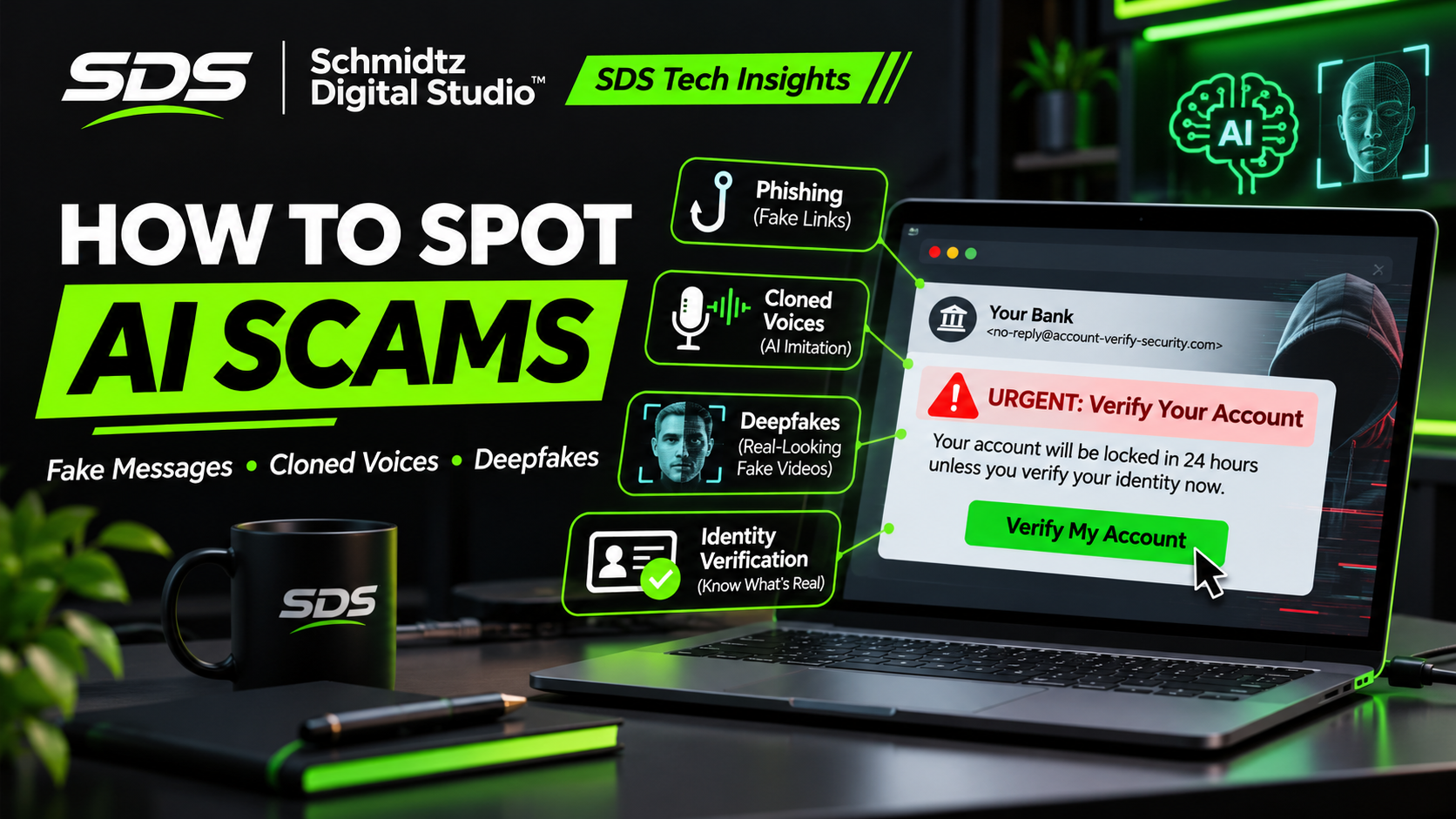
1. Be Careful With Unexpected Messages
You receive an email claiming your bank account has been temporarily suspended.
The message includes the company's logo, addresses you by name, and explains that you need to verify your identity.
It even looks professionally written.
That doesn't mean it's genuine.
Scammers can use AI to create convincing messages that sound like they came from a bank, online retailer, delivery company, or employer.
What to watch for
Unexpected requests to verify account information
Links that lead to unfamiliar or misspelled website addresses
Requests for passwords or one-time security codes
Threats that your account will be closed unless you respond immediately
Instructions to download an attachment you weren't expecting
One of the easiest ways to protect yourself is to avoid using the link provided in a suspicious message.
Instead, open the company's official app or type its known website address into your browser.
Remember: A familiar logo, professional writing, or even a recognizable sender name is not proof that a message is real.
2. Don't Trust a Voice Just Because It Sounds Familiar
Voice cloning is one of the more unsettling uses of artificial intelligence.
With suitable recordings, AI tools can generate speech that resembles a particular person.
Scammers may attempt to impersonate a family member, business owner, executive, or other trusted individual.
A common scenario involves someone pretending to be a relative who needs emergency financial help.
The caller may sound frightened or distressed and insist that you act immediately.
How to protect yourself
If someone calls asking for emergency money or sensitive information, end the conversation and verify the situation independently.
Call the person using a phone number you already know.
If you can't reach them, contact another trusted family member.
Some families also establish a private verification phrase for unexpected emergency requests. Avoid using something easily discovered through social media.
Don't let the caller pressure you into sending money before confirming who they are.
The key lesson: A familiar voice is no longer enough to prove someone's identity.
3. Understand That Videos Can Be Fake Too
We've all seen videos shared online that appear to show a celebrity, public figure, or business leader saying something surprising.
AI-generated video can make these clips look increasingly realistic.
These are often called deepfakes.
A deepfake may manipulate someone's appearance, voice, or movements to make it seem as though they said or did something they never actually did.
Scammers may use fake videos to promote fraudulent investments, impersonate officials, or encourage people to visit malicious websites.
How can you tell?
Some manipulated videos have visible problems, such as unusual facial movements, mismatched audio, or unnatural lighting.
But those signs aren't always present.
Modern AI-generated videos can look convincing, especially when watched quickly on a phone.
Instead of relying only on visual clues, ask:
Where did the video originally come from?
Is it being shared by a verified, legitimate organization?
Are trustworthy news sources reporting the same information?
Is someone using the video to pressure me into sending money or personal information?
A suspicious video isn't automatically fake, and a realistic video isn't automatically genuine.
Verification matters more than appearance.
4. Watch for Fake Customer Support
Imagine searching online for help with a billing issue.
You find what appears to be a customer-support page. A chatbot offers assistance and asks you to enter your login credentials or payment information.
Unfortunately, the page may be controlled by scammers.
Fraudulent support pages can imitate legitimate services, while automated conversations can make the interaction feel more believable.
Protect yourself
Use the company's official website or application to find customer-support information.
Avoid calling phone numbers from unexpected pop-ups or suspicious search advertisements.
Never provide your password, recovery codes, or other sensitive account information to an unsolicited support chat.
And don't install remote-access software just because an unexpected caller says your computer needs to be repaired.
Legitimate technical support should never require you to ignore obvious security warnings.
5. Look Out for Suspicious Links and QR Codes
Not every scam arrives as a traditional email.
Fraudulent links can appear in text messages, social media posts, online advertisements, or QR codes.
A QR code may direct you to a website designed to imitate a real login page.
The Federal Trade Commission has warned that scammers can use QR codes to lead people to fraudulent sites that steal personal information.
Before opening a link
Check whether the message was expected.
Examine the destination address carefully.
If something seems suspicious, navigate to the legitimate service yourself rather than using the provided link.
Be especially cautious when a message claims there's an urgent problem with your account, delivery, or payment.
And remember that a padlock icon or HTTPS connection only means the connection is encrypted. It doesn't guarantee the website itself is trustworthy.
6. Watch for Requests to Approve App Access
Some phishing attempts don't directly ask for your password.
Instead, they may ask you to sign in through a familiar service and authorize an application to access your account.
In September 2026, the FBI warned about malicious actors using a technique called OAuth consent phishing.
In this type of attack, a victim can be tricked into granting permissions to a malicious application.
That application may then gain access to information or functionality associated with the victim's account.
Before approving a new app, carefully review what access it's requesting.
Be skeptical of unexpected file-sharing invitations, unfamiliar applications, or requests for unusually broad permissions.
When in doubt, confirm the request with the sender through a separate, trusted communication channel.
What If You've Already Fallen for a Scam?
First, don't continue communicating with someone who is pressuring you for money or information.
If you entered a password into a suspicious website, go directly to the real service and change it.
If the same password is used elsewhere, change those passwords too.
Enable multifactor authentication, preferably a phishing-resistant method such as a passkey or security key when available.
If you provided banking information or transferred money, contact your financial institution immediately.
If you installed suspicious software, disconnect the affected device from the network and seek appropriate technical assistance.
Check your accounts for unfamiliar activity, review connected applications, and report the incident.
In the United States, you can report fraud through the FTC at ReportFraud.ftc.gov or internet crime through the FBI at IC3.gov.
Acting quickly may help limit further damage.
A Simple Rule That Can Prevent Many Scams
Here's one habit worth developing:
When an unexpected message asks you to act urgently, verify it through a separate, trusted channel before doing anything.
That applies whether the message supposedly comes from your bank, your employer, a delivery company, a family member, or a government agency.
Don't use contact information supplied by the suspicious message itself.
Find the correct phone number or website independently.
Scammers depend on pressure, confusion, and people reacting before they have time to check the facts.
A few minutes of verification can make a significant difference.
Protecting Your Small Business
Small-business owners should take these risks seriously too.
A fraudulent message pretending to come from a supplier could request payment to a new bank account.
A fake employee message could ask for payroll information.
An AI-generated voice could imitate an owner requesting an urgent transfer.
Businesses can reduce these risks by establishing straightforward verification procedures.
For example, require confirmation through a known phone number before changing payment instructions or transferring unusually large amounts.
Train employees to question unexpected requests, regardless of how convincing the message appears.
Use multifactor authentication and limit account permissions to what people actually need.
You don't need a large cybersecurity department to put basic safeguards in place.
You need clear procedures that everyone understands and follows.
Final Thoughts: Technology Is Changing, but Caution Still Matters
Artificial intelligence can be an incredibly useful technology.
It can help people learn, create, communicate, and work more efficiently.
Unfortunately, the same technology can also make fraudulent messages, impersonations, and misleading content more convincing.
That doesn't mean every unusual phone call or online video is a scam.
It means we should be more thoughtful about what we trust.
At Schmidtz Digital Studio, we believe technology should make everyday life easier, not more confusing.
Understanding the risks is an important part of using technology confidently.
The next time you receive an unexpected message asking for money, passwords, or sensitive information, remember:
Stop. Verify. Then decide.
Those three steps could save you from a costly mistake.
Comments